Celestial navigation software for Windows
Meridian Sight brings the nautical almanac, star finder, sight reduction and position fixing together in one application. Everything is computed on the computer itself, so it works the same at sea as ashore, with no internet connection.
- UTC
- 00:00:00
- GHA Aries
- 000° 00.0′
- Sun GHA
- 000° 00.0′
- Sun Dec
- N 00° 00.0′
Right now, computed in your browser with the application’s solar model.
See it at work
From the star finder to a three-star fix in under a minute, recorded from the application itself.
Features
The application has six views. Date, time and dead-reckoning position are entered once and used by all of them. A typical evening: check the time of nautical twilight under Rise & Set, choose stars in the Star Finder, reduce each sight under Sight, and plot the fix under Position · Fix.
Almanac
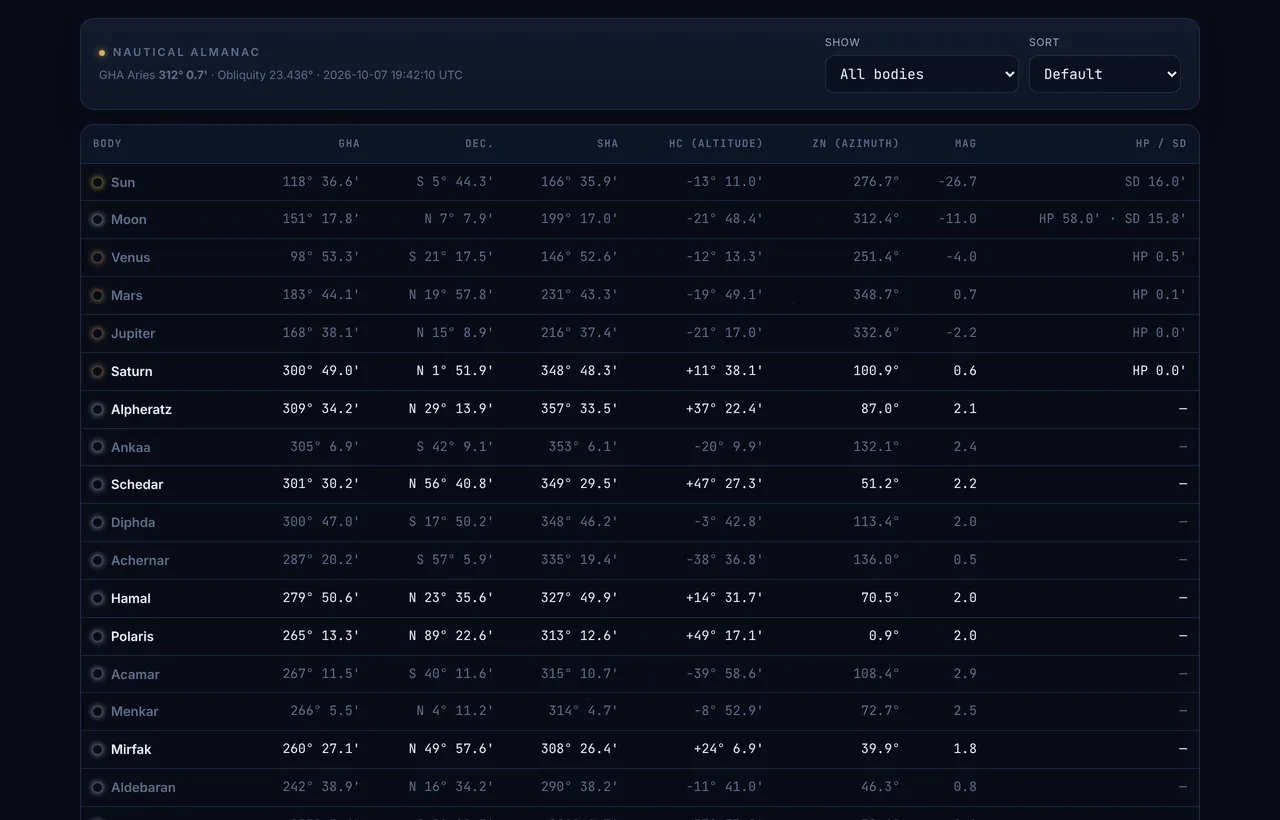
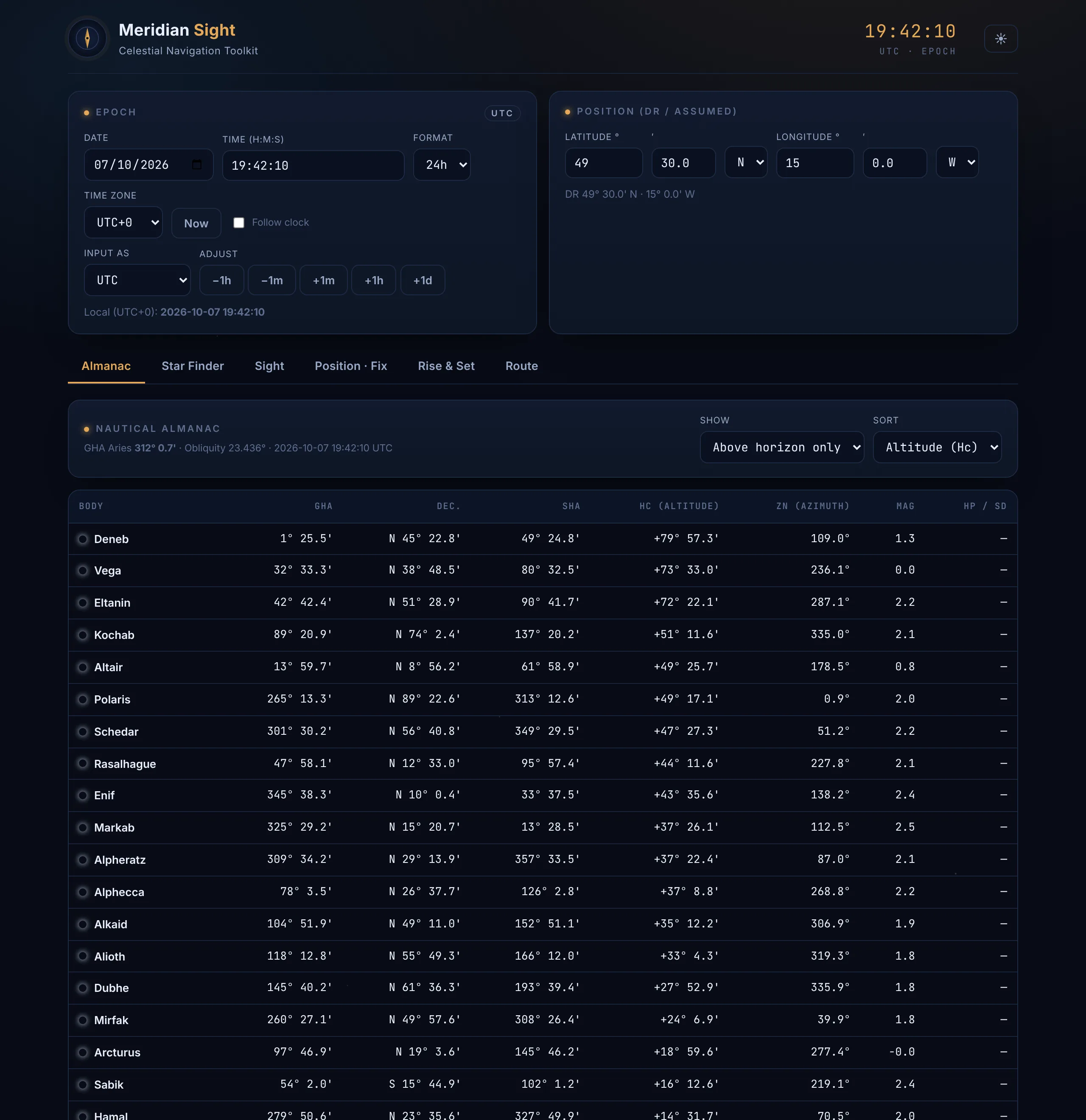
Almanac data for any instant: GHA, declination and SHA, computed altitude (Hc) and azimuth (Zn) from your position, magnitude, and horizontal parallax and semi-diameter. Covers the Sun, the Moon, Venus, Mars, Jupiter, Saturn and the 57 navigational stars. The list can be limited to bodies above the horizon and sorted by altitude, azimuth or magnitude.
Star Finder
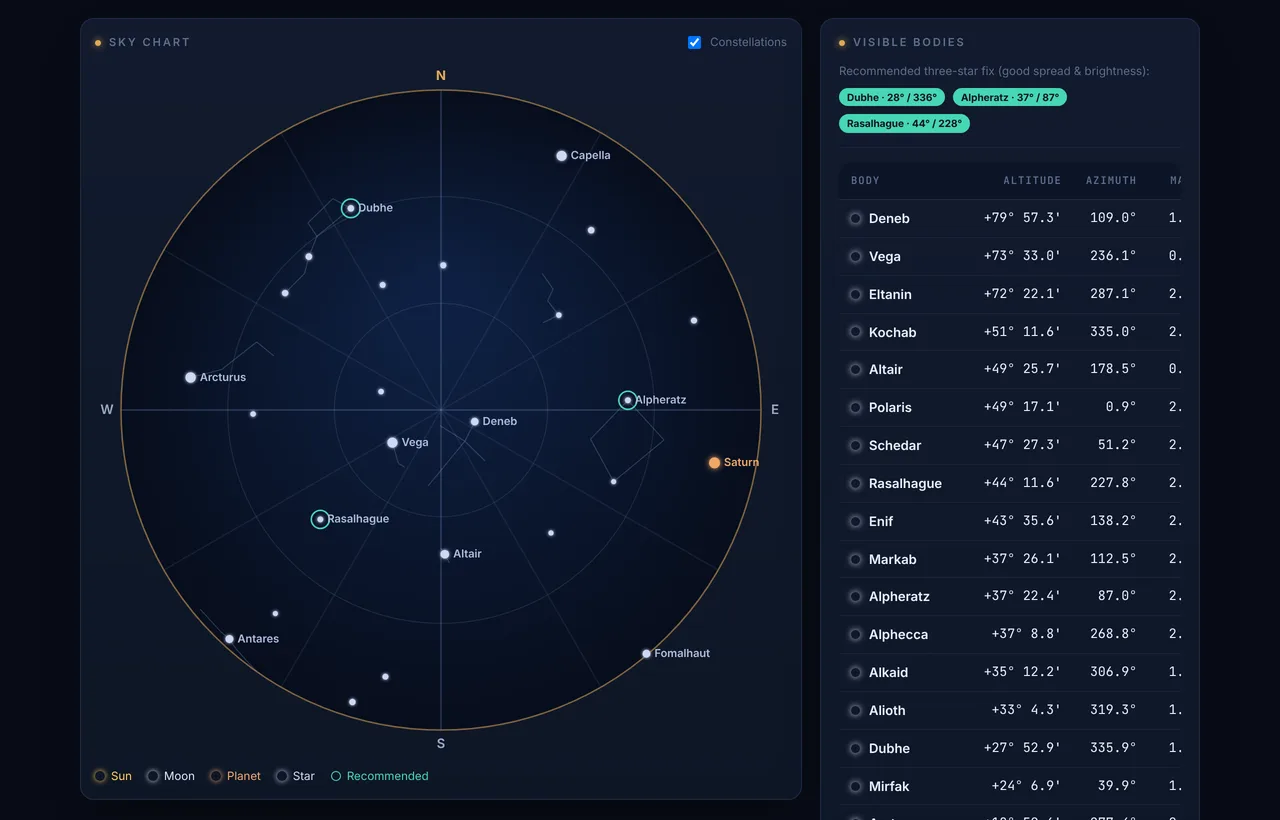
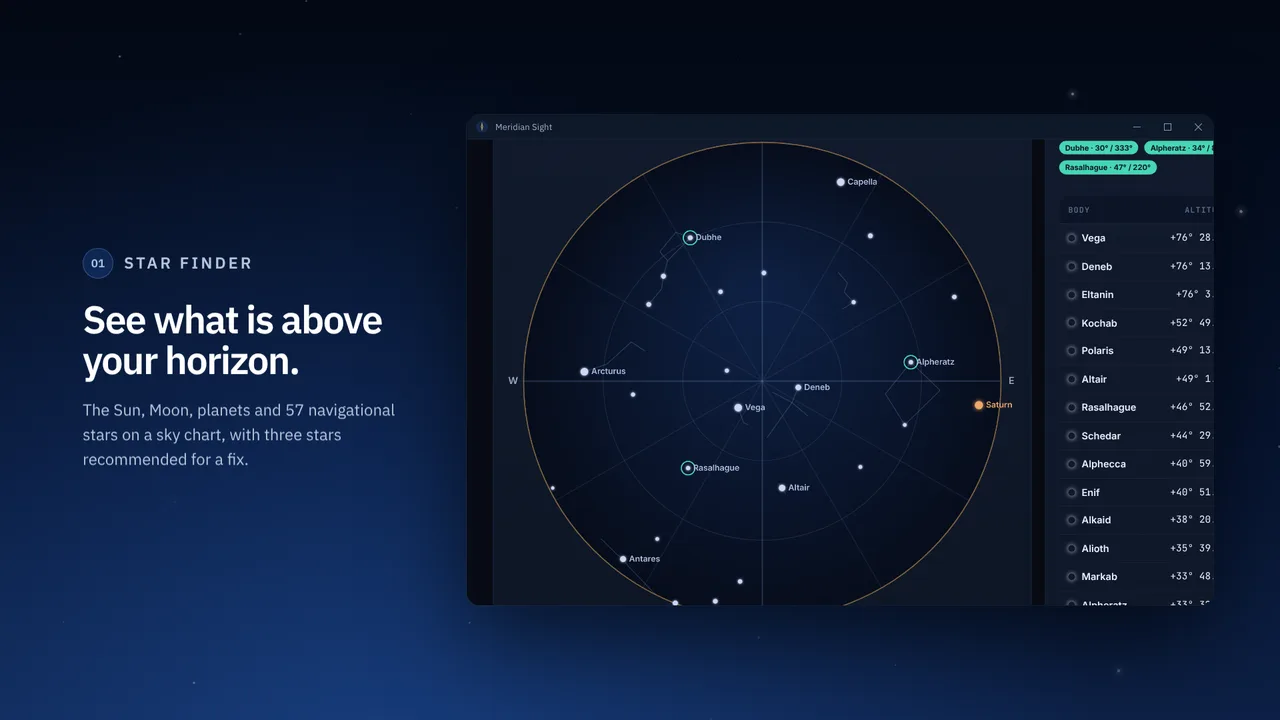
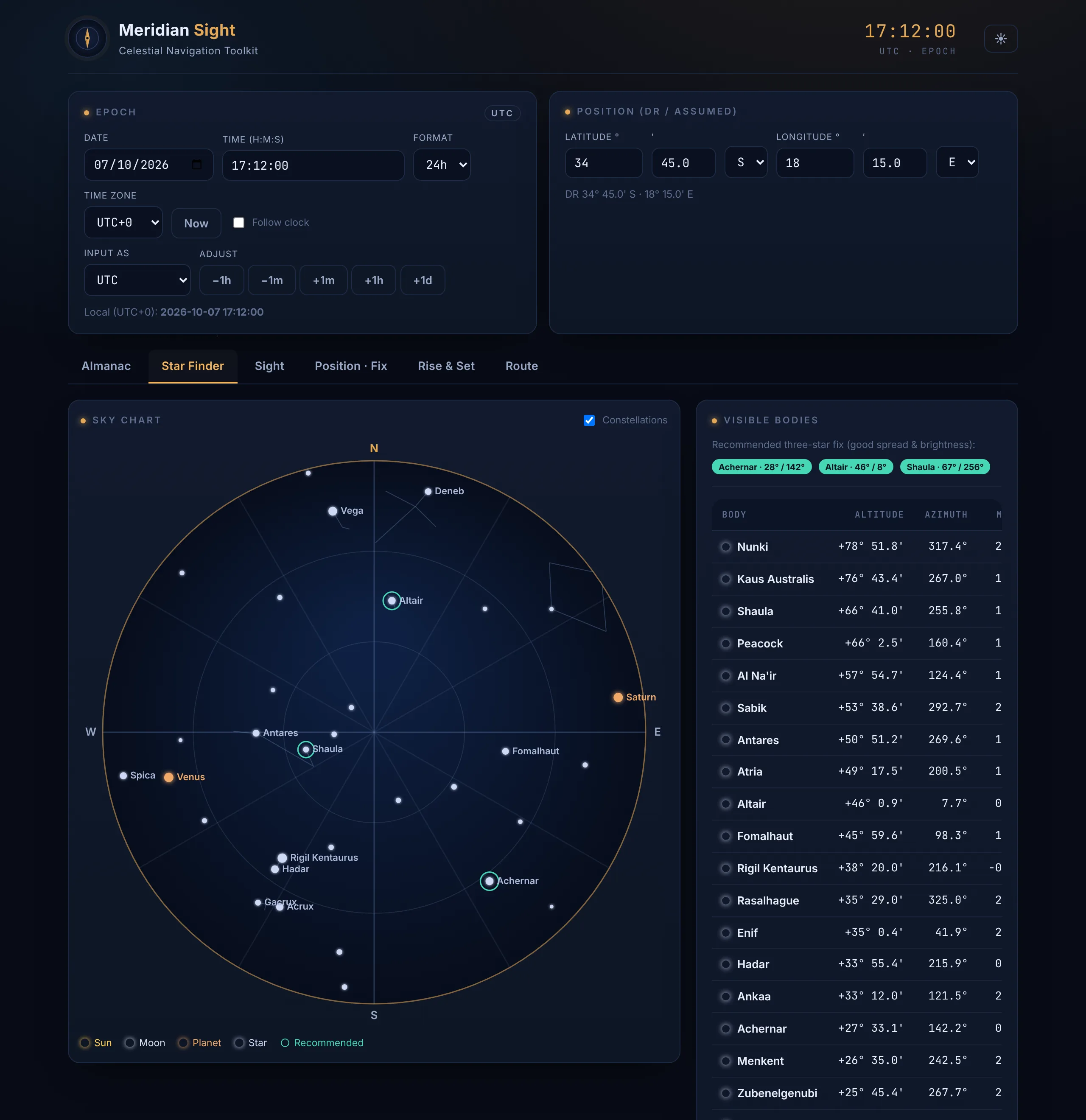
A sky chart with the zenith at the centre and the horizon at the edge, showing every body above the horizon, optionally with constellation lines. It suggests three stars for a fix, chosen for their spread in azimuth and their brightness. Selecting a body prepares a sight of it.
Sight
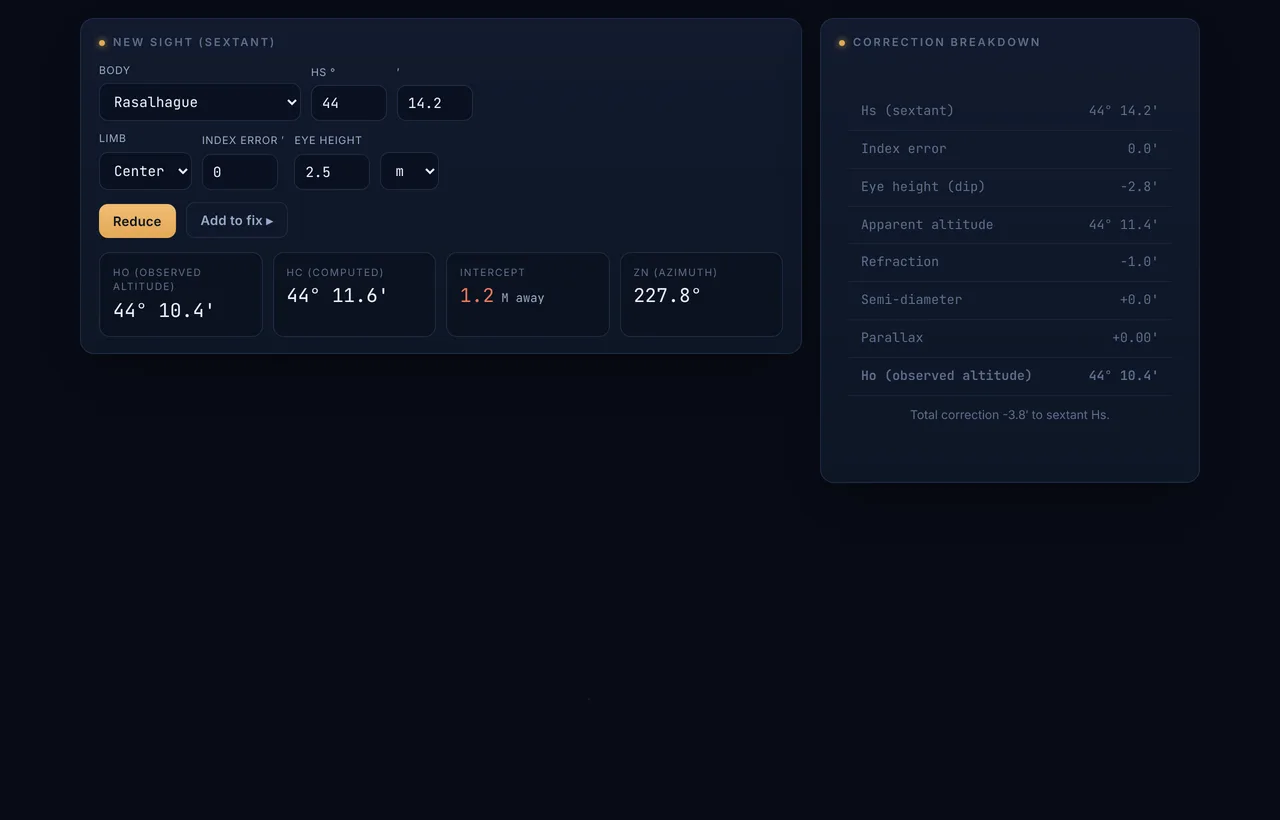
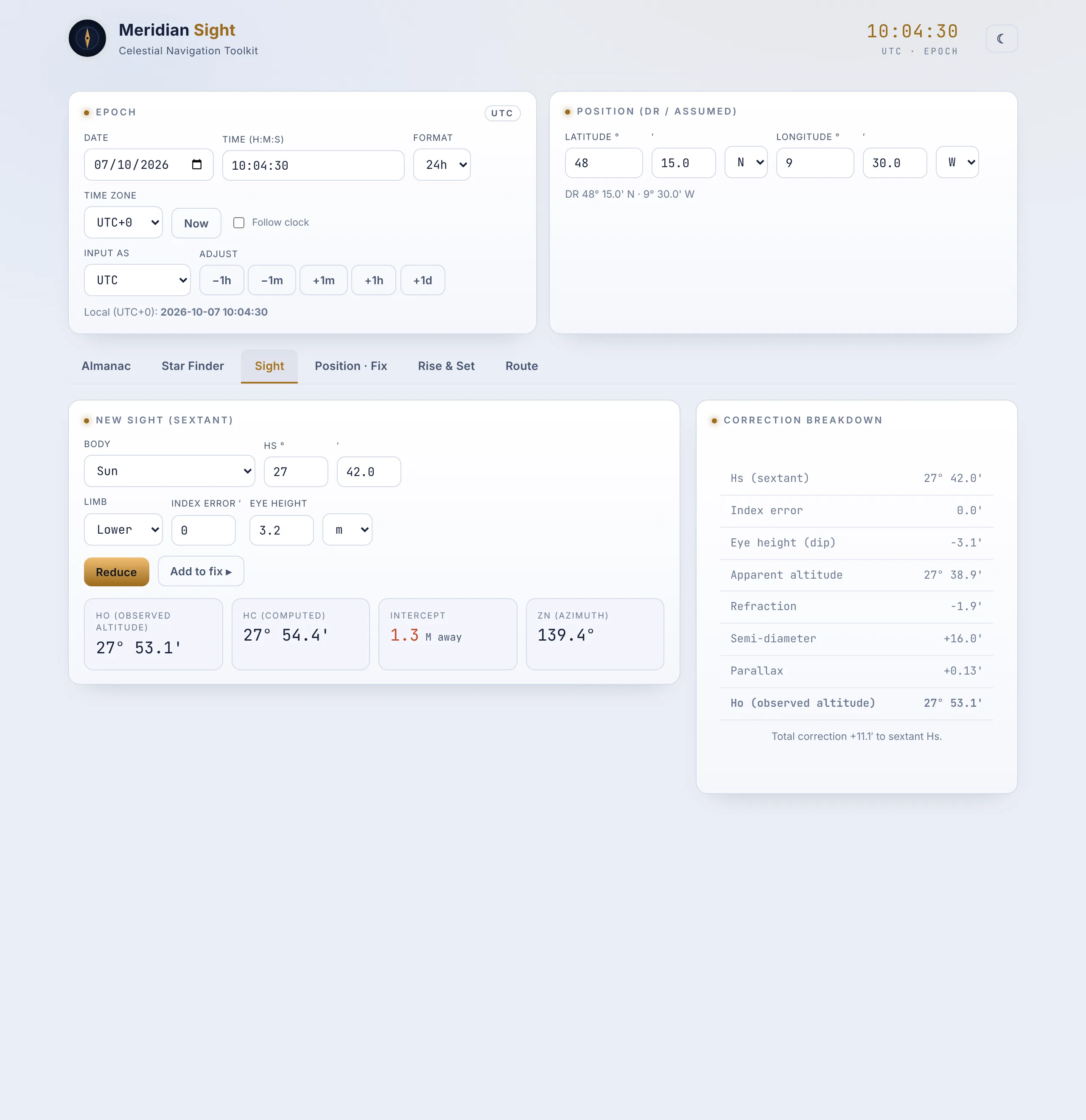
Reduces a sextant altitude to an intercept and azimuth by the Marcq St-Hilaire method. Every correction is listed: index error, dip for the height of eye (in metres or feet), refraction, semi-diameter for the upper or lower limb, and parallax.
Position · Fix
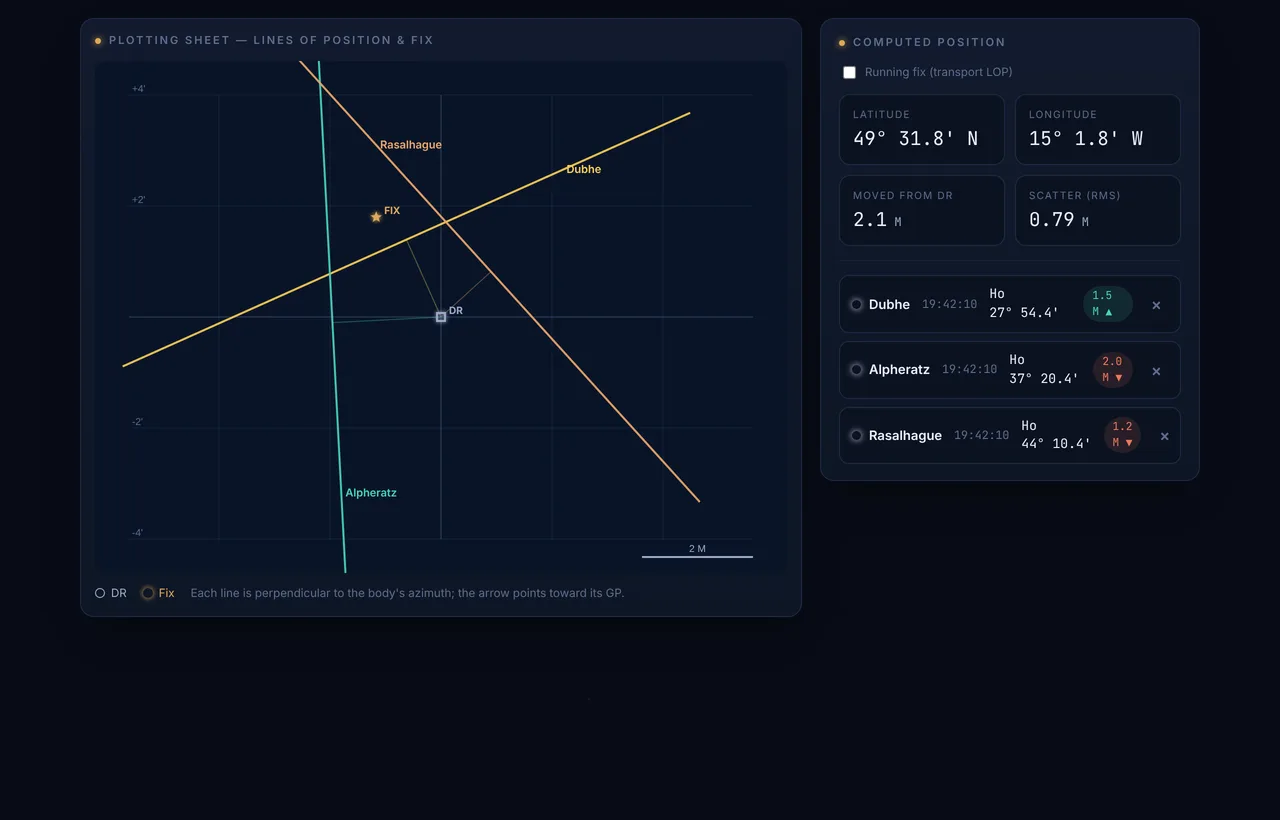
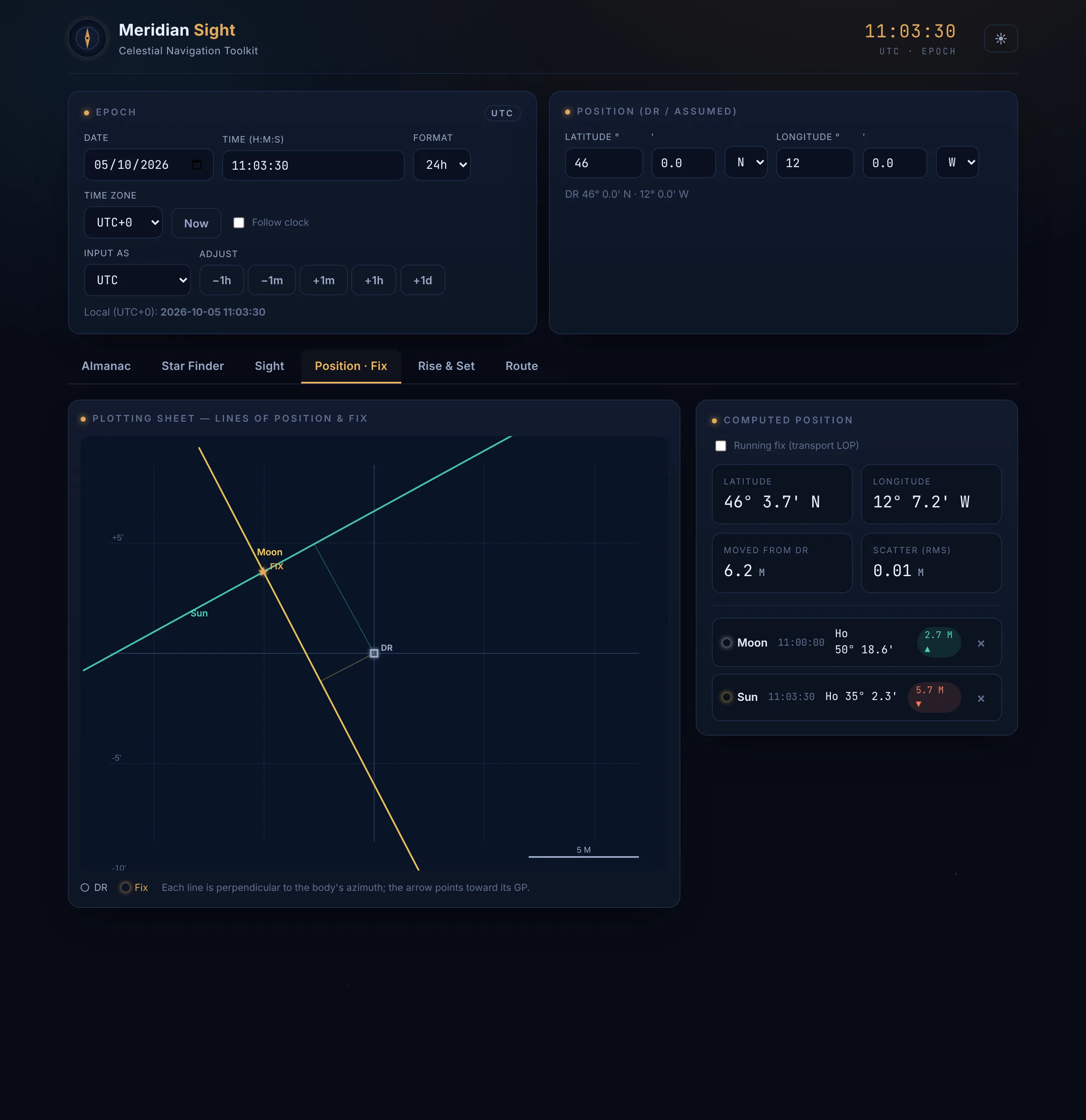
A least-squares fix from two or more lines of position, plotted on a Mercator plotting sheet with the DR, each line of position and the fix, together with the scatter in nautical miles. For a running fix, earlier lines are advanced along the course and speed to the time of the last sight.
Rise & Set
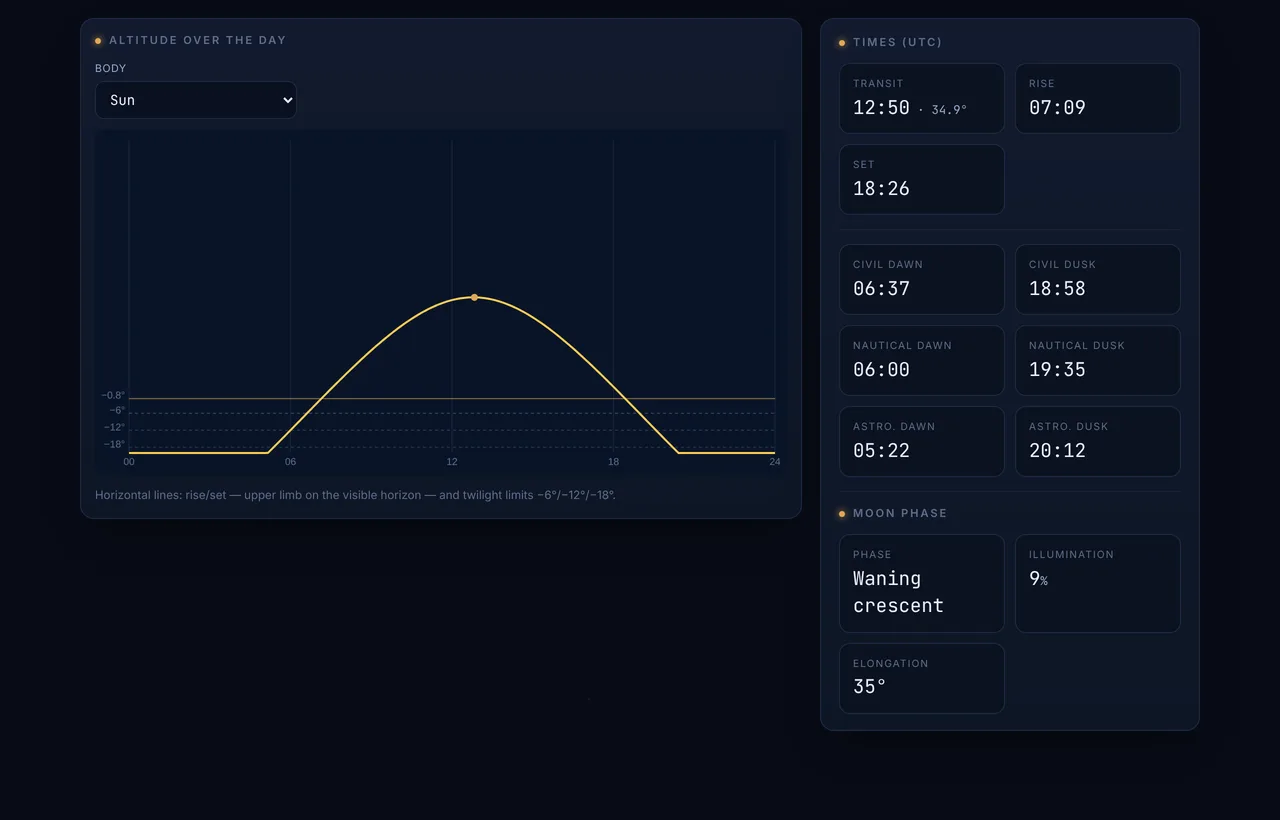
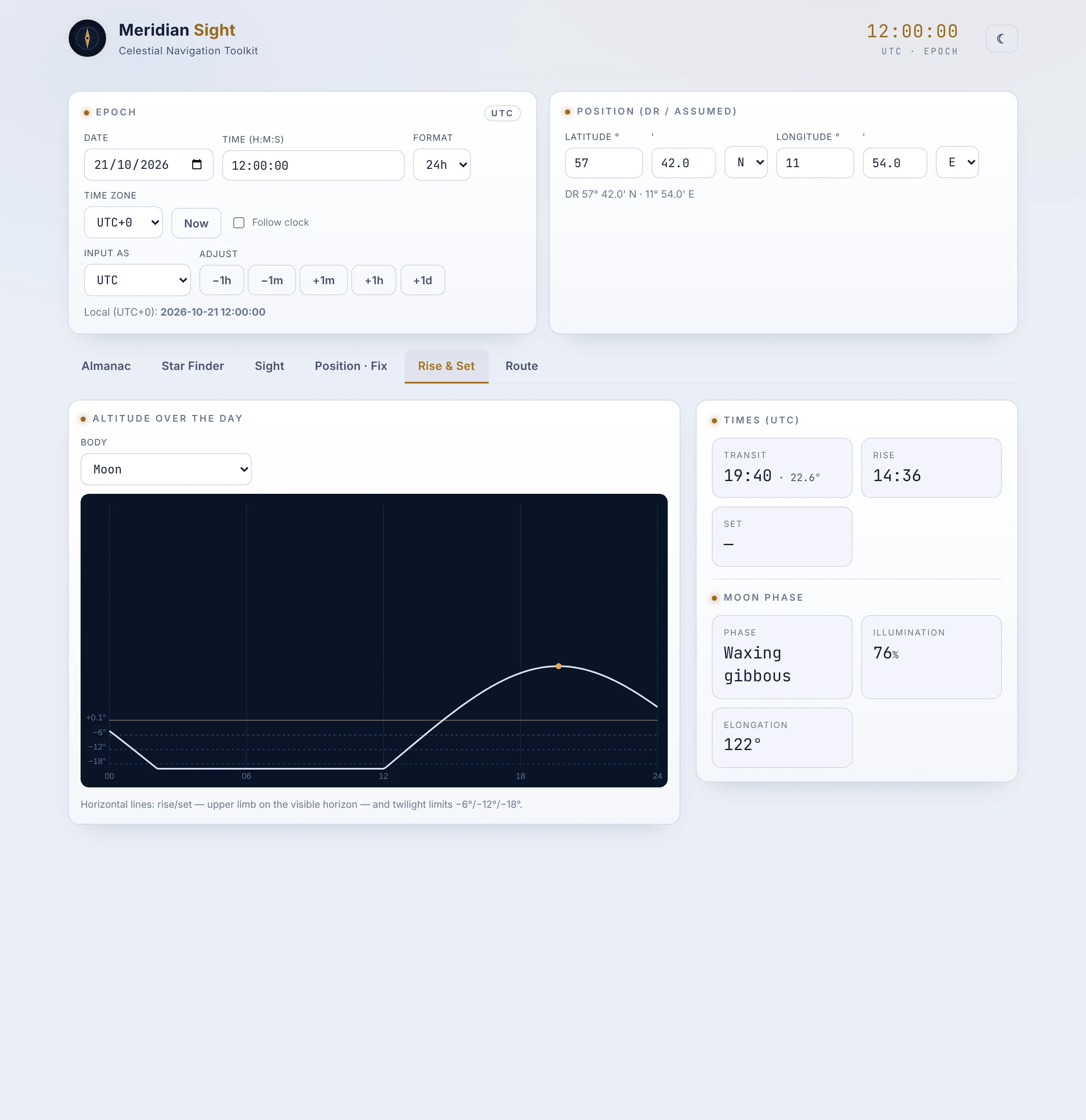
Rise, set and meridian transit; civil, nautical and astronomical twilight; a curve of the body’s altitude through the day; and the phase and illumination of the Moon.
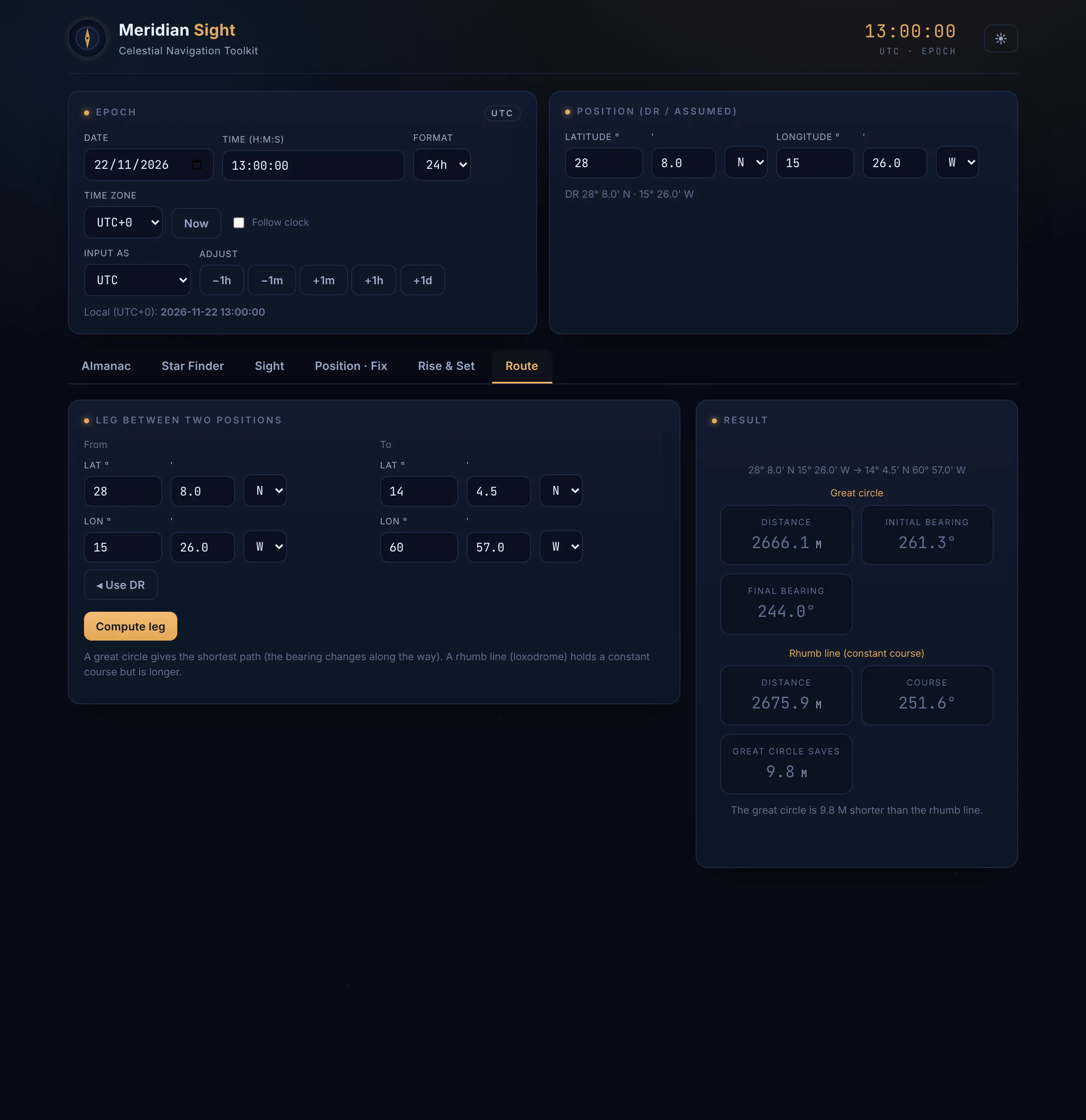
Route
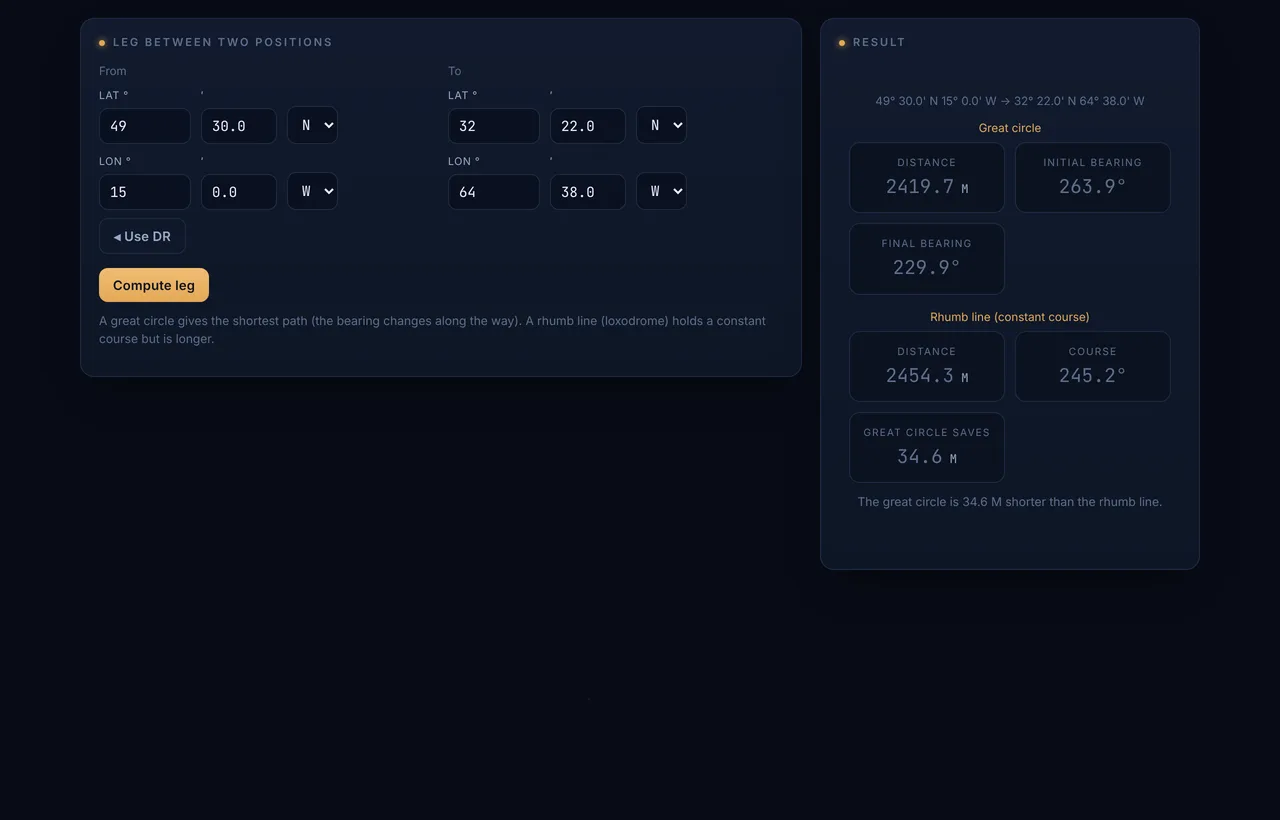
Great-circle and rhumb-line sailing between two positions: great-circle distance with initial and final course, rhumb-line distance and course, and the difference in distance between the two.
Made for use at sea
No internet connection needed
All calculations run on the computer. The application needs no connection to start, to activate its license or to compute a position.
License keys that work offline
A license is a short, digitally signed key that the application checks by itself. There is no license server and no online activation, so a key sent by e-mail can be entered on board.
No yearly data
Positions are computed for any date from 1950 to 2050. There are no almanac tables to download or renew each year.
Dark and light display
The dark display is the default, for use at night. A light theme is available for daylight, classrooms and projectors.
Screenshots
Complete application windows. Select a screenshot to view it at full size.
Specifications
| Bodies | Sun, Moon, Venus, Mars, Jupiter, Saturn, the 57 navigational stars and Polaris |
|---|---|
| Dates | 1950 to 2050 |
| Typical accuracy | Sun 0.2′; stars 0.5′; planets 0.3′ to 0.8′; Moon 2′ |
| Largest differences | Sun 0.6′; stars 1.2′; planets 4′; Moon 7′. Star positions do not include proper motion, which adds 1.6′ for Rigil Kentaurus and 1′ for Arcturus by 2026. |
| Measured against | A precise ephemeris (astronomy-engine), apparent positions as tabulated in a nautical almanac, at random instants from 1950 to 2050 |
| Model | Keplerian elements with the principal perturbations of the Moon, Jupiter and Saturn; star positions from a J2000 catalogue, precessed to the date |
| Almanac data | GHA, declination, SHA, Hc, Zn, magnitude, horizontal parallax, semi-diameter |
|---|---|
| Altitude corrections | Index error, dip, refraction, semi-diameter (upper or lower limb), parallax |
| Sight reduction | Intercept method (Marcq St-Hilaire) |
| Position | Least-squares fix from two or more lines of position; running fix with course and speed |
| Rise and set | Rise, set and transit; civil, nautical and astronomical twilight; Moon phase and illumination |
| Sailings | Great circle and rhumb line |
| Time | UTC or local time with time zone; 24-hour or 12-hour clock |
|---|---|
| Units | Height of eye in metres or feet; distances in nautical miles |
| Display | Dark and light themes |
| System | Windows 10 or 11, 64-bit |
| Internet connection | Not required |
| Licensing | Digitally signed license key, verified offline; 7-day trial built in |
Intended use. Education, training and planning. The application is not type-approved navigation equipment. For navigation at sea, use a current official nautical almanac.
Licenses and prices
Every installation runs as the full version for 7 days. After that it needs a license key, which is sent by e-mail and entered in the application. Longer evaluation periods, for example for a school term or a trial on board, are available on request.
Private
€79 one-time payment, incl. VAT
- For
- One person: yacht navigators, ocean cruisers, students
- Covers
- The licensee’s own computers
- Licensed to
- Your name, optionally with the name of your boat
- Term
- No expiry date
Vessel
€129 per vessel per year, excl. VAT
- For
- Ships and shipping companies
- Covers
- Every computer on board one ship
- Licensed to
- The vessel name and IMO number
- Term
- One year, or €349 one-time per vessel
School
€590 per site per year, excl. VAT
- For
- Maritime academies, sailing schools and training centres
- Covers
- Every computer at one site, for teachers and students
- Licensed to
- The school
- Term
- One year; several sites by quotation
- Fleet discount: 20 % for 5 to 19 vessels, 35 % for 20 vessels or more.
- Companies and schools are invoiced. Prices for businesses exclude VAT; reverse charge applies to companies in other EU countries.
- Annual licenses show a reminder in the application before the key expires.
Download
The installer contains the full version of Meridian Sight. It runs for 7 days without a license key and without registration.
Frequently asked questions
Does Meridian Sight need an internet connection?
No. All calculations run on the computer, and license keys are verified offline.
Can it replace the official nautical almanac?
No. It is intended for education, training and planning, and for checking your own work. It is not type-approved navigation equipment. For navigation at sea, use a current official nautical almanac.
What happens when the trial period ends?
After 7 days the application asks for a license key. Once a valid key is entered it opens as before. If you need more time to evaluate it, ask for a longer trial key.
How many computers may I install it on?
That depends on the license: a private license covers your own computers, a vessel license every computer on board one ship, and a school license every computer at one site. The application shows who each copy is licensed to.
How are annual licenses renewed?
The application shows a reminder before the key expires. On renewal you receive a new key by e-mail and enter it under Change license… at the bottom of the window. No reinstallation is needed.
Which dates and bodies are covered?
Any date and time from 1950 to 2050, for the Sun, the Moon, Venus, Mars, Jupiter, Saturn, the 57 navigational stars and Polaris.
Is there a version for Mac or Linux?
The application is currently available for Windows 10 and 11.
Contact and orders
Use the form to order a license, ask for a quotation, request a longer trial or send a question. We reply by e-mail.
For vessel licenses, please include the vessel names and IMO numbers. Companies and schools: please include the billing address, VAT number and any purchase order number.